Recently, I have noticed a very annoying thing happening on my Visual Studio Code terminal window. This must be a new addition, because I have been using VS Code for ages, and never noticed it. Basically, if you open a terminal window, and type Ctrl+R (the key combination that invokes fuzzy history search), you now get this:
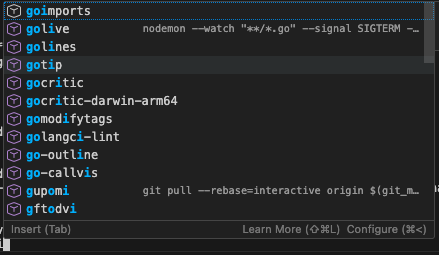
VS Code will now try and play smart by suggesting you commands to auto-complete. That’s all fine, but I personally use fzf and am happy with it. I don’t want to switch away from it, and honestly, I find the addition of an UI overlay on top of a CLI terminal a little distracting. Which is why I immediately started Googling how to get rid of it.
One way to do it is to go to the Settings, type “terminal suggest,” and toggle the highlighted option.
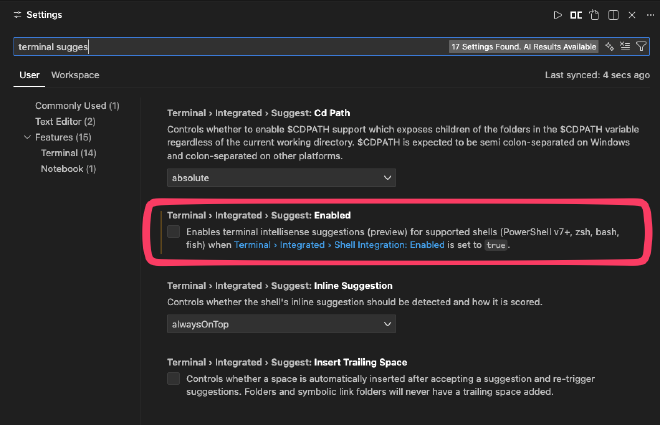
If you prefer editing the JSON settings file, add the following two options to it:
"terminal.integrated.suggest.enabled": false,
"terminal.integrated.shellIntegration.enabled": false
That should hopefully get rid of the annoying completion popup, and let you use whichever CLI tools you are used to.
Have something to say? Join the discussion below 👇
Want to explore instead? Fly with the time capsule 🛸