 Preslav Rachev
I am notorious for staying away from installing newer macOS versions, until I either get new hardware, or I am somewhat forced by Apple (an app I use stops working, or is no longer supported). Plus, all the security aspects, you know.
Naturally, I skipped entirely on all the macOS 26 Tahoe shenanigans, partly, because I did not want to deal with all that glossiness. But what’s more important, I did not want to hamper the performance of my already aging hardware to a point that would make me need to buy new one.
What got me excited about macOS 27 Gate Gate, however, were the few beta reviews that claimed it had fixed many of the glitches and performance issues of its predecessor. So, I decided to give it a try. I have a spare Mac Mini from 2020 (with the first-gen M1 ARM chip), which I don’t use daily at the moment, so it could be my test specimen.
Here is what we’ve got:
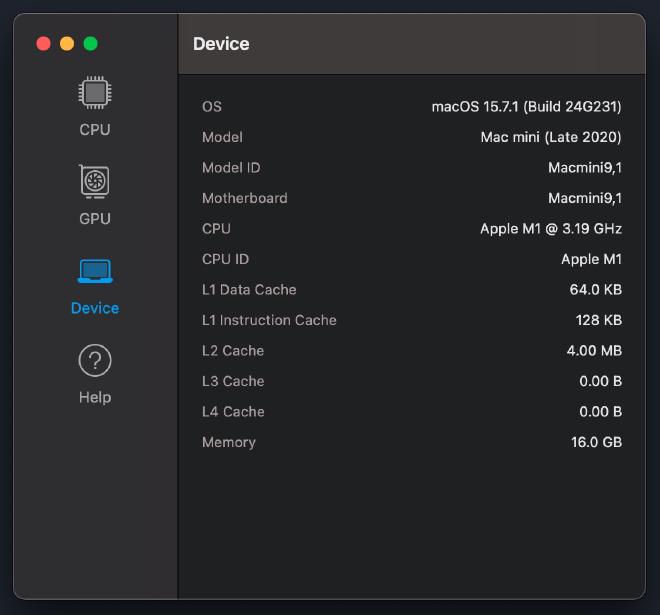
I will spare you the installation instructions here, because you can easily find them online.
It’s the results that surprised me — positively
The results
Before installing macOS 27, I ran Geekbench tests for the CPU and GPU, respectively. Here are the results:
| Geekbench Test | Result |
|---|---|
| CPU | 2384 / 8051 (Single/Multi-Core) |
| GPU (OpenCL) | 21757 |
| GPU (Metal) | 34273 |
After the installation, I let Spotlight finish its mandatory re-indexing run, and ran the tests again.
| Geekbench Test | Result |
|---|---|
| CPU | 2425 / 8875 (Single/Multi-Core) |
| GPU (OpenCL) | 21564 |
| GPU (Metal) | 43716 |
With the exception of OpenCL, which dropped a teeny bit, all the other scores actually improved. In some cases, like the multi-core CPU performance, quite a bit! And, as you may recall, I wasn’t running Tahoe before, but Sequoia (macOS 15)
Still, I decided that I don’t like the translucency enough to justify having any, so I turned off the transparency altogether from the Accessibility options.
I am wondering, those of you with M1 Macs, how has moving to the macOS 27 beta felt to you?
Want to explore instead? Fly with the time capsule 🛸